Grok (xAI) is powerful. Where you type still matters.


A lot of people hear “Grok” and think of the website or the phone app. Those are good tools. This post is not a warning against them.
It is a lesson about which door you use when the data is yours, identifying, and not meant for a chat history — and about getting the work done in minutes instead of hours without dumping an armory into a text box.
DPO Ready Center can call xAI (the company behind Grok) with your API key — a professional key you buy credits for. That is a different product from grok.com or Grok on iOS. Same power. Different rules. Different leftover traces.
Power you can use at the desk
Grok is not there to replace your judgment. It is there to shorten the grind.
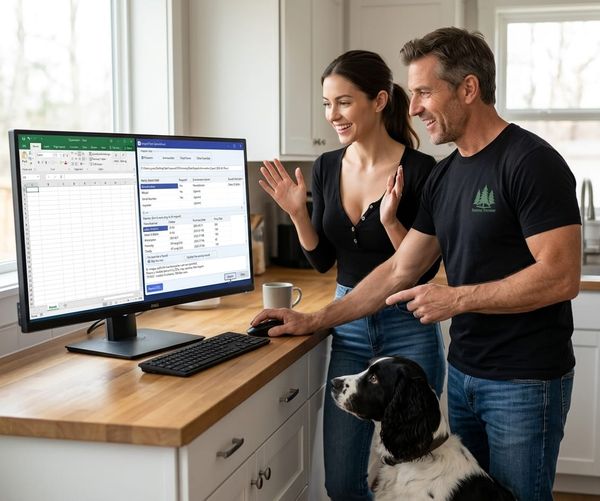
- Streamlined entry — Maker and model are already on the form. One confirm, and a draft comes back into the record. You are not retyping the same gun into a browser chat, then copying a wall of text, then cleaning it up.
- Description drafter — What it is, where it was made, a manufacture window, a used-value range. That research used to mean tabs, forums, serial charts, and a yellow pad. Now it is a draft on the Description bar. You edit. You Save — or you don’t.
- Recalls and bulletins — Current firearm or the whole active list. Grok searches manufacturer pages and returns title, date, published serial range, summary, official link, and status. You match your serials locally. What used to be an evening of hunting PDFs becomes a report you can walk in minutes.
The point is not “AI did my homework.” The point is hours of lookup compressed into minutes, with you still holding the records.
Three doors
1. grok.com or Grok on your phone
You open a chat. You type. The conversation lives in your consumer Grok account. History, device backups, a shared iPad, a screenshot, a “share this chat” moment — those are extra copies you did not plan. Powerful. Not built as an inventory system.
2. Pasting the same thing into any public chatbot
Same problem, sometimes worse. You do not control retention. You often do not know if the vendor trains on it. You almost always type more than you meant to: serials, addresses, “here’s my whole list.” Slow, too — every gun is another paste.
3. Ready Center + your xAI API key
The inventory stays in your database. You click a button. The program sends a narrow prompt (maker, model, maybe caliber). You confirm first. Serial numbers stay here unless you say Yes. Data Protection Operations never sees the request. The draft lands in the form or the report. Minutes. Then you verify on the maker’s page.
Door 3 is not “Grok never sees anything.” xAI still receives the prompt you approved. The win is less data, on purpose, and less time, with a paper trail you control.
A word you already know: self-custody
If someone else holds the only copy, you have permission, not possession.
A chat window is not custody of a firearm record. It is a conversation about the record, stored on someone else’s service, tied to a login. Ready Center is the opposite: the list, the photos, the serials, the documents live in your folder or encrypted database. Grok is a helper you invite for one job, not the filing cabinet.
What xAI says about the API (the door Ready Center uses)
From xAI’s own API docs (check them; policies can change):
- They do not train on API prompts or answers unless you opt in.
- By default they keep the request and reply about 30 days (encrypted, abuse audit), then delete.
- Enterprise / team accounts can turn on Zero Data Retention so prompts are not stored on disk.
That is not the same policy as Grok on X or a casual grok.com thread. Consumer apps have their own settings for history and “improve the model.” If you type a serial into the phone app, you are in that world, not the API world.
Read it yourself:
xAI API security FAQ
xAI Enterprise FAQs
Why a professional key and credits help
A consumer chat is built for talking. It remembers the thread. It is easy to overshare. It is also slow when you have fifty firearms.
An API key is built for a program to send one structured job and get one answer. You pay for credits. You can set spending limits. You can enable stricter retention on the xAI team if you need it. The key stays in Ready Center Settings on your machine. Treat it like a password.
You are not handing Data Protection Operations your inventory so we can call Grok for you. You hold the key. You approve the send. We never see the payload.
Hours of descriptions and recall checks become minutes. The records never leave the desk except as the small, confirmed request.
Threat vectors (plain language)
A threat vector is simply a path data can leak.
| Path | grok.com / Grok iOS | Ready Center + API |
|---|---|---|
| Chat history in a consumer account | Yes | No chat thread |
| Easy to paste a whole inventory | Yes — people do | Fields only, one job |
| Serial numbers | Whatever you type | Off unless you opt in |
| Photos, permits, passports | If you attach or paste them | Do not send. Keep in Document Center / local images |
| DPO sees the prompt | No | No |
| xAI sees the prompt | Yes | Yes — only what you confirmed |
| Training by default (API policy) | Different product | No, unless you opt in |
| Shared phone / family iPad | History sits there | Key and DB stay with the install you chose |
| Time to do 50 guns | An afternoon of paste | Minutes per batch, then you verify |
The weak step is almost never the model. It is humans dumping a life into a text box.
What we still will not do
Ready Center will not:
- Upload your Document Center files to Grok
- Send CC permits, passports, or insurance PDFs
- Send ammo photos or firearm pictures to write a caption
- Auto-run Grok against every gun while you sleep
- Put your xAI key on our servers
If a feature needs the network, you get a confirm dialog first. If it does not need a serial, we do not send one.
The lesson
Grok is powerful. Use that power where it is narrow, confirmed, and fast.
Grok.com is a good place to ask a general question. It is a bad place to paste a serial list, a full ammo count, a photo of a license, or “here is everything in the safe.”
Use the consumer apps for learning. Use your inventory software for your records. When you want a draft description or a recall check, let Ready Center send the minimum, with your key. What used to take hours is reduced to minutes — and it stays as private as this kind of work can be.
Highest practical bar:
- Local first.
- Encrypt what is sensitive.
- Confirm before anything leaves the PC.
- Serials optional.
- Draft in, fact-check, then Save.
- Never use a chat window as a backup of the armory.
None of the Grok surfaces are “bad.” They are built for different jobs. Ready Center information is identifying, sometimes regulated, and often something you do not want in a conversation history. Use the door that was built for speed and custody.
Not legal advice. Not an xAI policy restatement you should skip reading. Read their pages. Then decide what you are willing to send.
Stay ready. Keep the list. Keep the keys.