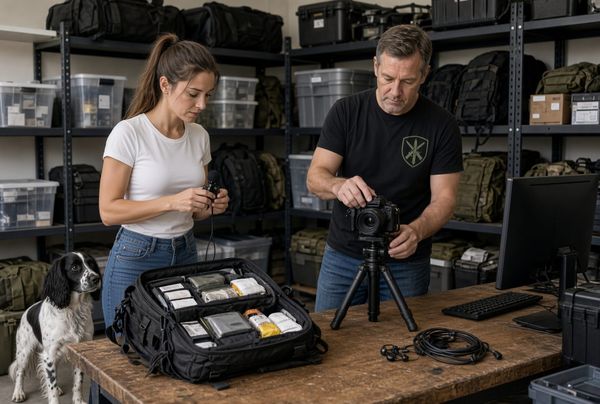
Talk the form. Stop typing every box.


The part of a record that gets skipped is not the idea. It is the typing. A manufacturer, a caliber, a long description, a note about where the bucket is stored. After a while the grid matters more than the keyboard, and the keyboard wins. The record stays half done.
Windows can type for you. You click a field, or you say Tab, and you talk. The words land in that box the same way they would if you had typed them. Ready Center never hears the audio. It only receives the text Windows puts in the field. Nothing is uploaded to us.
This is ordinary Windows, not a feature we added. It is also the simplest way to finish a form when typing is slow, painful, or just not how you want to spend the evening. That includes a lot of us. Some of you are working from a tablet on the bench. Some of you do not have a free hand. Some of you should not have to fight a keyboard to keep an inventory. The form does not care how the letters got there.
What to turn on
On Windows 11, use Voice access. Settings, Accessibility, Speech. Turn it on. The first time, it downloads a language. Pick the one you actually speak. You can add others later from the gear on the Voice access bar, under Languages. After that download, it works without an internet connection.
On Windows 10 there is no Voice access. Use Windows Speech Recognition for moving through a form, and Windows key + H when you only want to fill the box you just clicked.
A headset beats a laptop or tablet microphone, especially in a shop. You do not have to talk like a radio call. Normal pace.
Two settings worth changing before you start
Turn automatic punctuation off.
Leave it on and Windows will sprinkle periods and commas into fields that are not sentences. Manufacturer, model, caliber, a weight, a city. “Ruger.” is a worse record than “Ruger”. Descriptions and journal notes can still have punctuation. You say period or comma when you want one. New line when the memo needs a break. You decide. The field does not get decorated on its own.
Turn profanity filtering off, unless you specifically want it on.
That list belongs to Microsoft. We do not write it, we do not see it, and we cannot tell you what is on it. With the filter on, Voice access will refuse some words and give you no useful explanation. A product name, a place, a note you meant to keep. If a word will not go in, it is the filter, not the form. Turn the filter off and the word is typed. Leave it on if you prefer, and expect the occasional silent no.
Both switches are in the Voice access settings. On Windows 10 they live with Speech Recognition and voice typing, not in our program.
How a form actually goes
Wake it up. Say Voice access wake up.
Move to the field. Say Tab, or Press Tab. Say Press Tab 3 times to skip ahead. Press Shift Tab goes back. On a tablet, Show numbers puts a number on every control. Click 4 chooses that one. You never have to tap a small button.
Then talk. When you are done with that box, Tab to the next one. Click Save when the button says Save. Click plus the words printed on the button.
Delete that removes the last phrase, not the whole record. If a name comes out wrong, Delete that, then Start spelling, say the letters, then Stop spelling.
New line stays inside a memo. It does not jump you to the next box. That is what Tab is for.
Say Mute when someone walks in. The bar stays up. Unmute when you are ready.
Save the record the same as always. Voice does not replace a save.
Journaling is where this pays off.
A manufacturer box is one or two words. A journal entry is the thing you skip because typing a page feels like work. Voice access is built for that page. You talk it the way you would tell someone what happened: the range trip, the storm, the drill, the thing you want to remember next month. Say New line when you want a break, New paragraph when you are starting another thought.
For that kind of writing, turn automatic punctuation back on. A journal is sentences. Inventory fields are not. When you go back to manufacturer, model, and caliber, turn it off again so Windows does not put a period on “Ruger.”
The entry is text in your journal, the same as if you had typed it. It is not a recording, and it is not sent to us. Delete that takes back the last phrase if you ramble. Then keep going. The point of a journal is that it gets written. Talking it in is how a lot of entries actually get finished.
What this is not
It will not invent a serial number, a date, or a quantity you did not say. Listen once before you save. A manufacturer field full of a sentence is a sign automatic punctuation is still on.
It is also not a medical or legal accommodation we configure for you. It is your Windows install, your microphone, and your choice of language. If the language you want is not in the list yet, run Windows Update and look again. Microsoft adds them over time.
The point is smaller than it sounds. The inventory only works if the fields get filled. Talking them in is often faster than typing them, and for some of you it is the difference between a record that exists and one that never gets started.